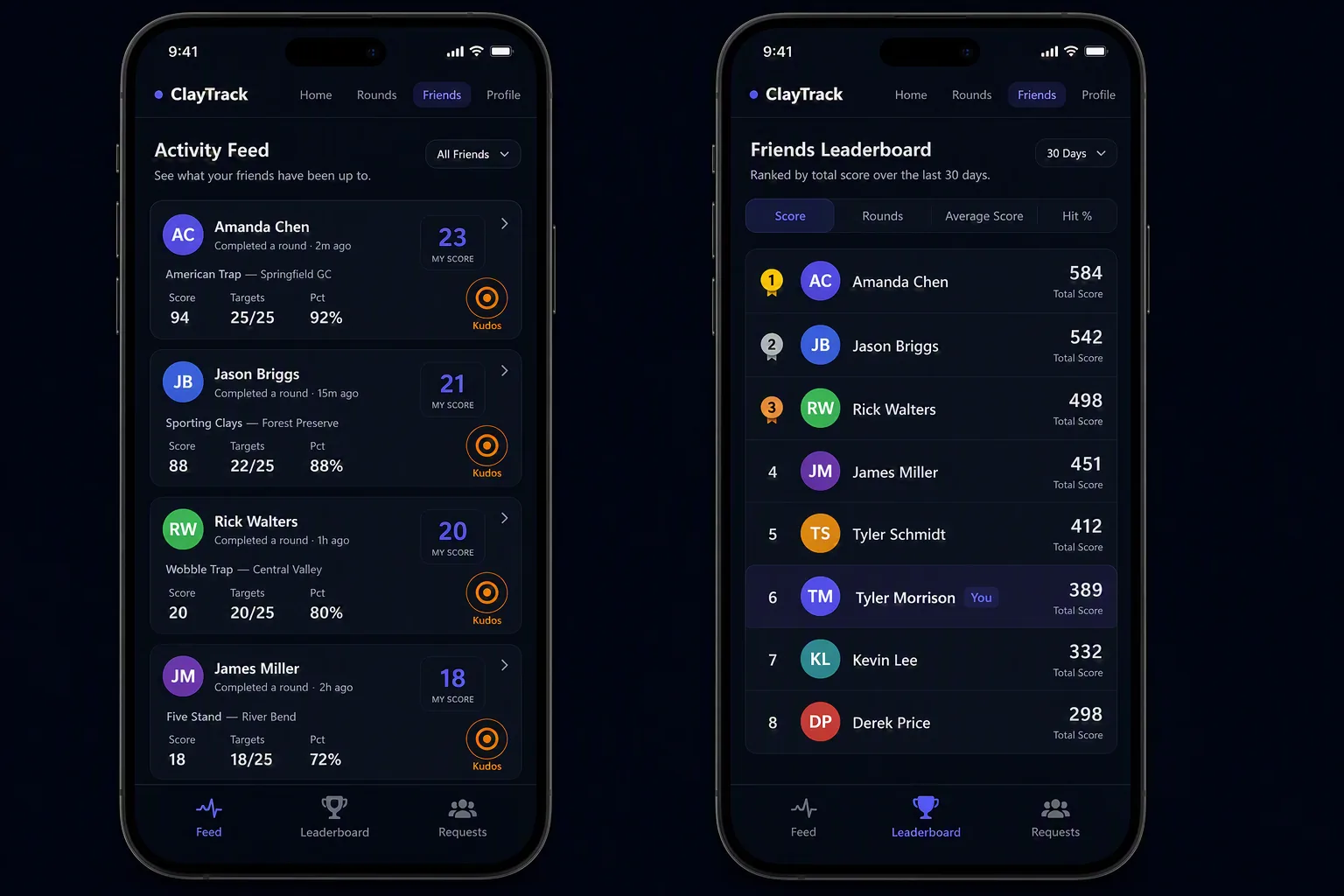
If you help run a small gun club or league, you already know the shooting is the easy part — it's the admin around the events that eats your Saturday. Sign-up sheets on a clipboard, entry fees in an envelope, scores on paper cards, and a leaderboard someone types into a spreadsheet on Monday. Most clay shooting club software is either built for giant national associations or costs more than a small club can justify. ClayTrack is the opposite: free club and event software for clay shooting — trap, skeet, and sporting clays — that a two-person volunteer committee can actually run.
This guide walks through how a small club uses ClayTrack to organize public and private events, handle invites and registration, track entry-fee payments, keep live leaderboards, and split the work across club manager, event manager, and scorekeeper roles.
Built for small clubs, not enterprises
ClayTrack runs in any web browser — there's nothing for the club to buy, host, install, or maintain, and no per-seat license. Members sign up with an email and they're ready to shoot in under a minute. That matters for a small club: you don't need an IT person or a budget line to run a proper event, and you don't have to talk anyone into downloading yet another app. It works on the phone already in every shooter's pocket.
It also scales down gracefully. You can run a casual members' fun shoot with the same tool you'd use for an open registered event — you're not forced into heavyweight tournament software just to organize a Saturday league night.
Host public and private events
An event in ClayTrack is a shoot you organize: a date, a discipline and format, squads, and a field of shooters. When you create one, you choose whether it's public or private.
Public events
Open registration — share the event with a link and anyone can sign up. Ideal for fun shoots, charity and fundraiser events, open registered shoots, and league nights where you want to grow the turnout.
Private events
Invite-only for your members or a specific group. Ideal for members' shoots, board or committee events, and corporate outings where you want to control exactly who's on the schedule.
Either way, you set up the event once — discipline, squads, and details — and the app becomes the single source of truth for who's shooting, in what order, and how it's going. No more reconciling a paper sign-up sheet with a separate scoring pad.
Roles: club managers, event managers, and scorekeepers
Running an event is a team job, so ClayTrack splits it into three roles that match how a shoot actually works on the ground. You can hand off the right amount of control without giving everyone the keys to the whole club.
Club manager
Administers the club itself — its members, its settings, and its events. The club manager is the person who owns the big picture: adding and managing members, creating events, and appointing event managers to run them.
Event manager
Runs a single event start to finish — sets the format and squads, sends invites and manages registration, keeps an eye on entry-fee payments, assigns scorekeepers, and oversees results and the final leaderboard. Perfect for handing one shoot to a volunteer without giving them control of the whole club.
Scorekeeper
Records scores on the line during the event. A scorekeeper can score for shooters and guests as the squad rotates through stations, with everything syncing live — so results are done the moment the last shooter finishes, not an hour later at the clubhouse.
Live event leaderboards
Because scoring happens in the app, the leaderboard is live. As squads finish, the standings for the whole field update in real time — no one is hunched over a calculator adding up cards while everyone waits to find out who won. Shooters can watch the board move during the event, which is exactly the kind of energy that makes a shoot fun and brings people back next month.
Beyond a single event, ClayTrack also keeps the ongoing, community side going: members get personal profiles with their best scores and history, connect as friends, give kudos to a great round, and appear on a friends leaderboard ranked over the last 30 days. Event results feed that momentum — the competition doesn't stop when the shoot ends.
Track entry-fee payments
Entry fees are where small-club admin usually falls apart — a paper list, a cash box, and someone trying to remember who still owes for last week. ClayTrack gives each event a clear view of who's registered and who's paid, so an event manager can see outstanding balances at a glance and follow up before the day of the shoot instead of chasing people at the counter. It turns "did Dave ever pay?" into something you can just look up.
Invites and registration
Getting people signed up should take seconds, not a phone tree. For a public event, share the event and shooters register themselves. For a private event, invite the members or group you want on the schedule. Registrations land in one place, so the event manager always has an accurate, current list of who's coming — and can build squads from it instead of copying names off a sign-up sheet.
The result is a shoot where the sign-up, the squads, the scoring, the payments, and the leaderboard all live in one free tool — instead of a clipboard, a spreadsheet, a group text, and a cash box that never quite agree with each other. If you want the shooter's-eye view of scoring first, see how ClayTrack works and our guide to clay shooting scorecards. And there's a dedicated overview for clubs and leagues.

Run your next club shoot on ClayTrack
Free club and event software for clay shooting — public and private events, live leaderboards, payment tracking, invites, and manager and scorekeeper roles. Nothing to install.
Frequently asked questions
Is there software to run clay shooting club events?
Yes. ClayTrack is free club and event software for clay shooting — trap, skeet, and sporting clays. Small clubs use it to organize public and private events, send invites and take registrations, track entry-fee payments, keep live leaderboards, and assign club manager, event manager, and scorekeeper roles. It runs in any browser with nothing to download or host.
Can a club run both public and private shoots?
Yes. Public events use open registration — share the event with a link and anyone with it can sign up — good for fun shoots, charity events, and league nights. Private events are invite-only for members or a specific group — good for members' shoots and corporate outings. The organizer chooses public or private when creating the event.
What roles does ClayTrack support for running an event?
Three roles that match how a shoot actually runs. A club manager administers the club, its members, and its events. An event manager sets up and runs a specific event — format, squads, invites, entry fees, and results. A scorekeeper records scores on the line during the event and can score for shooters and guests.
Does ClayTrack track entry fees and payments?
Yes. For each event you can see who has registered and who has paid their entry fee at a glance, and follow up on outstanding balances — so you're not chasing payments on a paper list or a spreadsheet the day of the shoot.
How much does ClayTrack cost for a club?
It's free. There's no per-member license, no setup fee, and nothing to host — ClayTrack is free for the club and every member, and works in any modern browser. Create a free account and you can set up your first event today.