Shooters are already scoring rounds at your range in ClayTrack, and your facility is already on ClayTrack's list of facilities. Claiming it puts the people who run the range in charge of its page and connects you to the shooters on your course: their issue reports reach you the moment they're sent, your facility's details and courses stay right, and you can ask shooters how their visit went. Claiming is free, and for now so is everything that comes with it.
Hear about a broken thrower before the next squad does
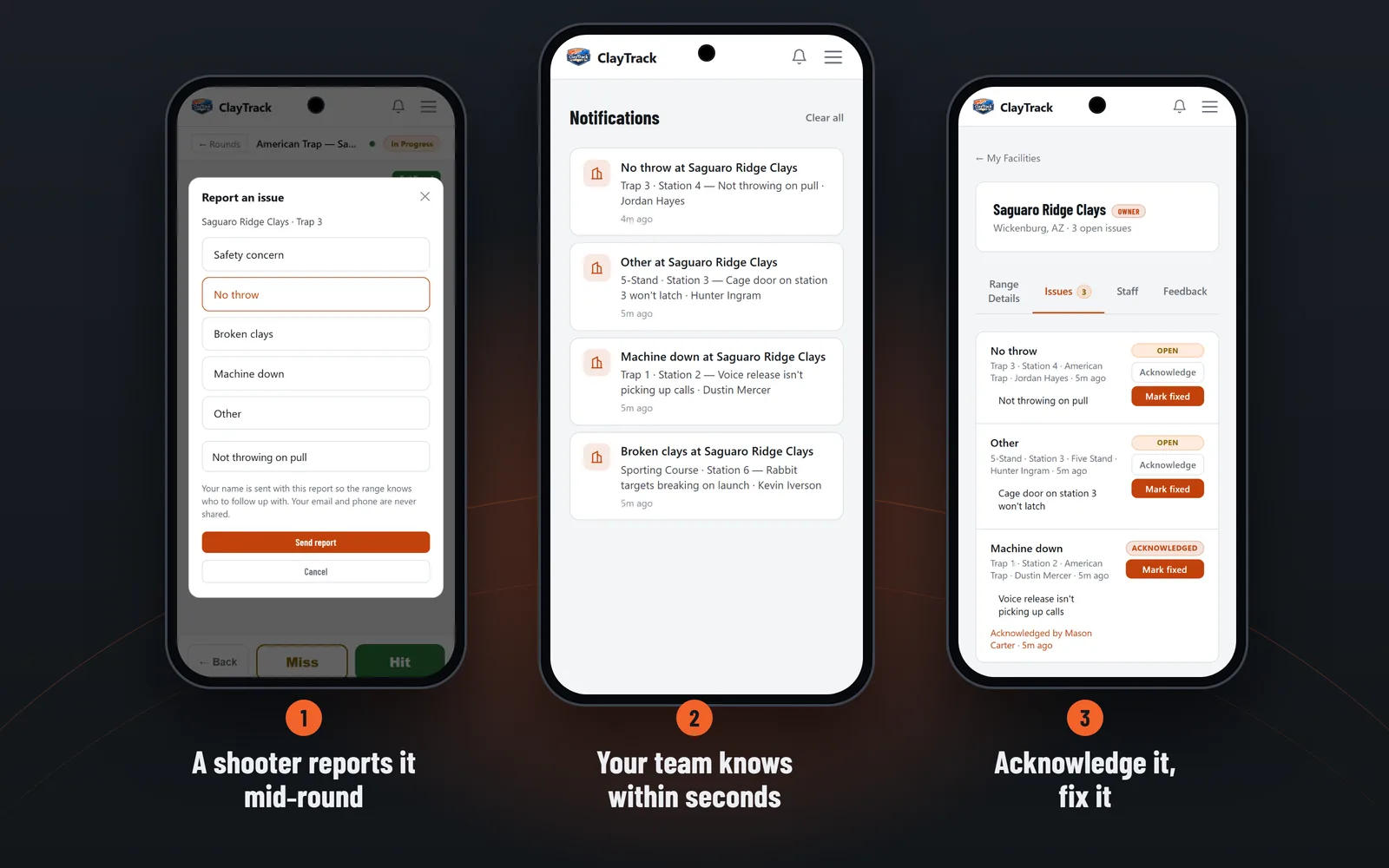
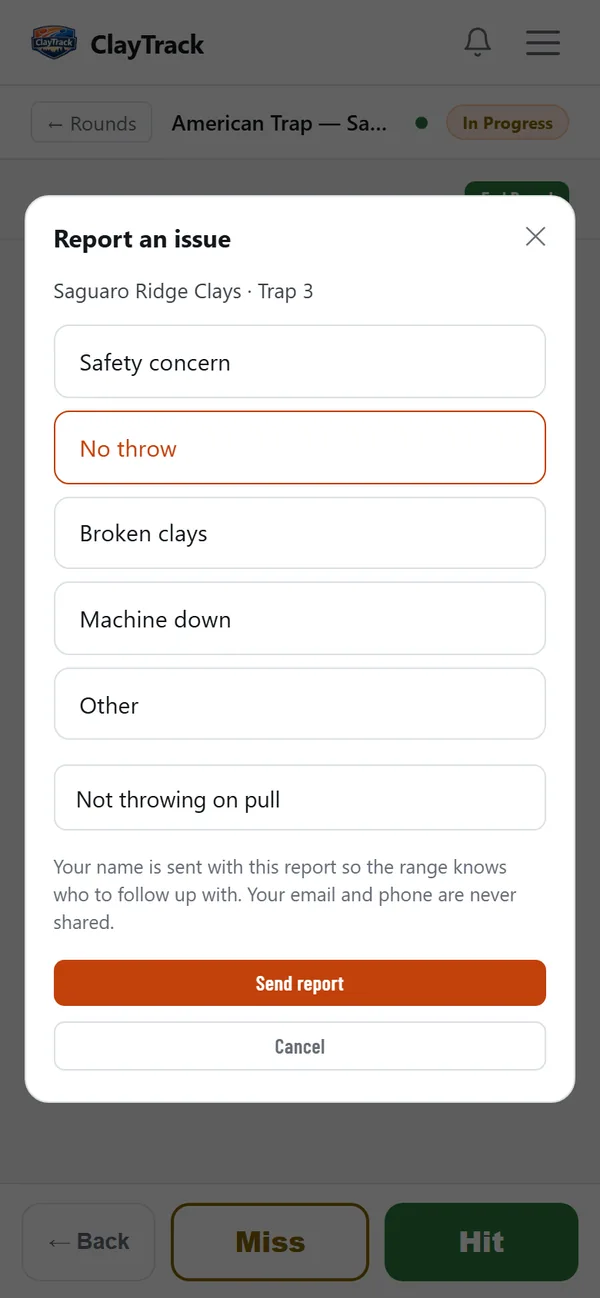
A trap that stops throwing usually gets found the hard way: by the next squad, and the one after that, until someone walks back to the clubhouse. ClayTrack shooters can report an issue from the scoring screen, mid-round: one tap on No throw, Broken clays, Machine down, Safety concern or Other, an optional note, and Send.
The report carries the facility, course, station and time on its own, plus the shooter's name, so you know where to look and who to follow up with.
Your team knows within seconds
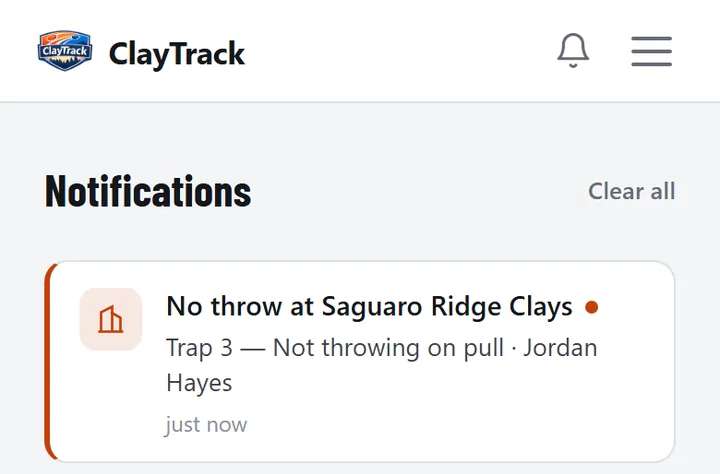
Once your facility is claimed, every report reaches the owner and staff right away, as a push notification and in the app's notifications, and goes by email to the facility's listed address. The alert names the trap, the station and who reported it.
A Safety concern is marked urgent, so it stands out from a broken target.

Acknowledge it, fix it, tell the shooter
Every report lands on your facility's Issues tab. It moves from open to acknowledged to fixed: tap Acknowledge so your team knows someone is on it, then Mark fixed when it's done.
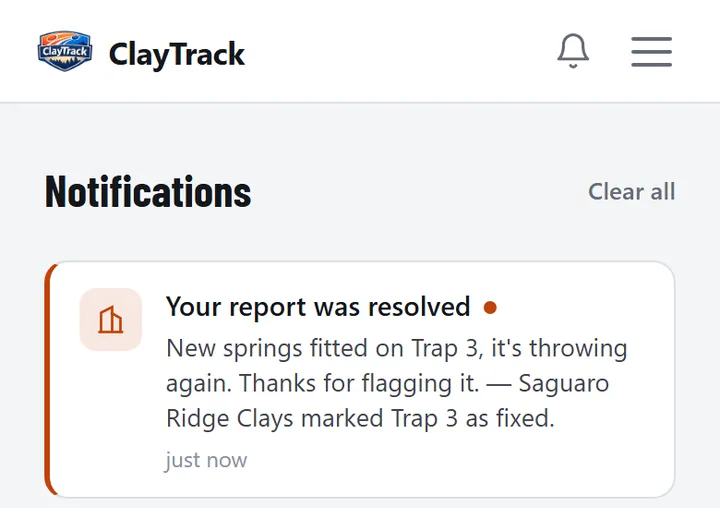
You can add a short message the shooter will see, like "New springs fitted on Trap 3, it's throwing again." The app reminds you that the shooter sees exactly what you write, so nothing internal slips out.
The shooter hears back
The shooter who sent the report gets a notification that it's fixed, with your message. Closing the loop is what teaches shooters that the button works, so the next problem reaches you sooner.
Keep your facility's details and courses right
The owner edits the facility's details and its courses so shooters see your range as it really is. When a shooter picks your facility and a course for a round, ClayTrack fills in what it knows from them, so their rounds set themselves up correctly. Shooters also see that your facility is claimed, which tells them their reports reach a real person.
When your claim is approved, shooters who had typed your range's name in themselves are linked to your facility too, so their past and future reports reach you as well.
Give your staff their own accounts
The owner adds staff to the facility. Staff see and resolve issue reports and read survey answers, from their own phones, under their own names; only the owner edits the facility's details and manages who is on staff. No shared logins, and nobody has to forward an email to the person who fixes the trap.
Ask shooters how their visit went
Write a short feedback survey of up to three questions, each a 1–5 star rating, a yes or no, or a short text answer. ClayTrack sends it to the shooters on the card after the last round of their visit (two hours later by default, or right away, or the next morning), and asks the same shooter at most once every 30 days unless you change it. Event rounds are left out unless you include them.
Your team reads the answers with the shooter's name, the date and the courses they shot, along with average stars and the response rate. A daily summary arrives on days with new answers, with low ratings listed first, and you can send one short reply to any answer. Shooters can say Not now or turn surveys off, so the people who answer are the ones who want to.
How claiming works
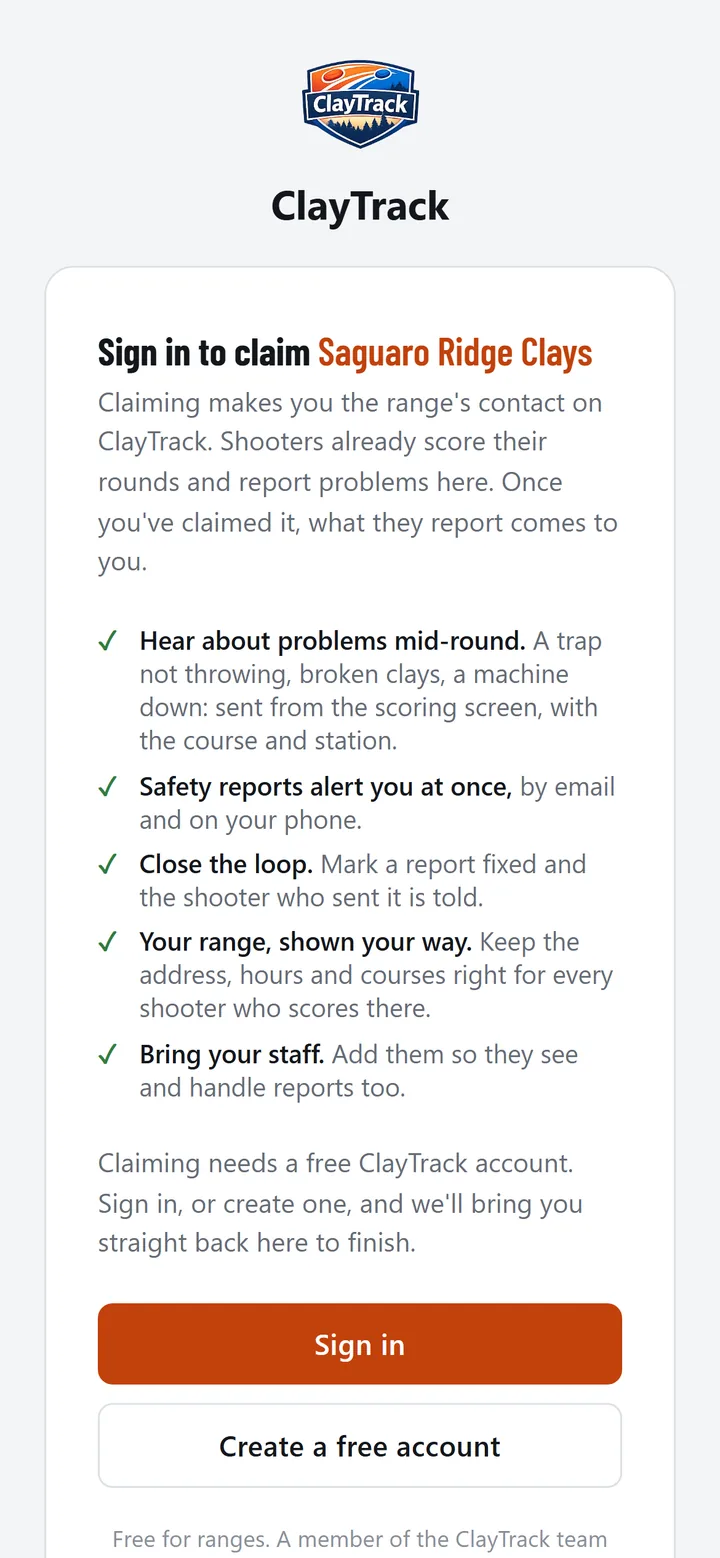
- Sign in or create a free accountUse the account you'll manage the facility from: ClayTrack on the web, iPhone or Android.
- Open your facility and tap Claim this facilityFind it in ClayTrack's list of facilities and open its page; the claim button is there.
- Tell us who you areYour name, your role at the facility and your work email. We send a 6-digit code to that email to confirm it's yours.
- A person at ClayTrack reviews itWe check the claim against the facility's details by hand, usually within a day, and email you either way. Once it's approved you're the owner, and you can add your staff.
Not on the List Yet? Email us with your facility's name and location and we'll add it.
Ranges can run club nights and leagues too. Score your regular night on a tablet at every trap, or run a league of clubs.

Claim your facility, free
Create a free account, open your facility in ClayTrack and tap Claim this facility. Issue reports, staff accounts, your courses and feedback surveys, with nothing to pay and nothing to install.
Already on ClayTrack? Sign in and open your facility.
Printable flyers for your range
Put these up where your shooters gather: the clubhouse door, the sign-in counter, the scorer's huts. Each flyer has one QR code. Scanned with a phone's camera, it opens ClayTrack in the App Store or Google Play, whichever the phone needs, so shooters score their rounds with you and can report a problem the moment it happens. Claim your facility first, so their reports reach your staff.
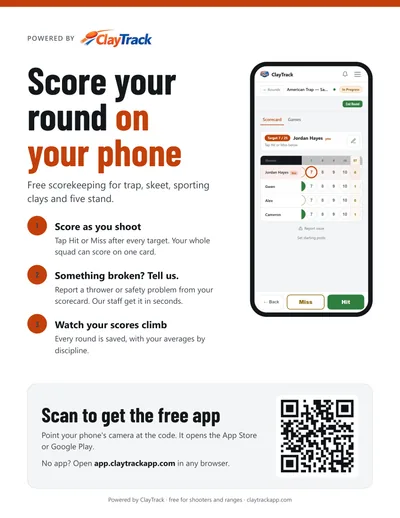
Score here
Scoring, reporting a problem and the code to get the app. For the clubhouse door and the sign-in counter.
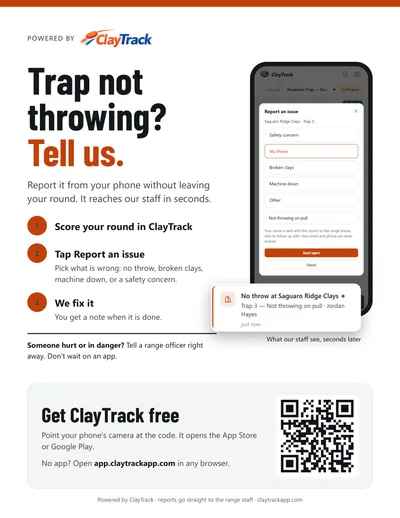
Report a problem
"Trap not throwing? Tell us." Shows shooters how a report reaches your staff. For the scorer's huts and the fields.
Free to print and put up as often as you like. They're plain on purpose: they work at any range, with no name to fill in.
Frequently asked questions
Is claiming a facility free?
Yes. Claiming is free, and for now so is everything that comes with it: issue reports, staff accounts, editing your facility's details and feedback surveys. There's nothing to install.
Who can claim a facility?
Someone who runs it: an owner, a manager or a member of staff who can receive email at the facility's own address. Each facility has one owner on ClayTrack, the first approved claimer, who can then add the rest of the staff.
How is a claim checked?
The claim asks for your name, your role at the facility and a work email. ClayTrack sends a 6-digit code to that email to confirm you receive mail there, and then a person at ClayTrack reviews the claim against the facility's details before approving it. Nothing is approved automatically.
What if my facility is not in ClayTrack yet?
Email support@claytrackapp.com with the facility's name and location and we will add it, then you can claim it.
Someone else already claimed our facility. What now?
A facility can be claimed once. Ask the owner on ClayTrack to add you as staff. If you think the claim is wrong, email support@claytrackapp.com and we will look into it.
What can staff do?
Staff see and resolve shooters' issue reports and read survey answers. Only the owner edits the facility's details and courses, sets up the survey and manages staff.
Does ClayTrack act on safety reports?
No. ClayTrack relays reports to your facility: a safety concern reaches the owner and staff right away, marked urgent. Acting on it is up to the facility's staff.
What do shooters see once we claim?
Your facility shows as claimed, so shooters know their reports reach a real person. When you resolve a report, the shooter who sent it is told, along with any note you add. Shooters choose whether to answer a survey and can turn surveys off.