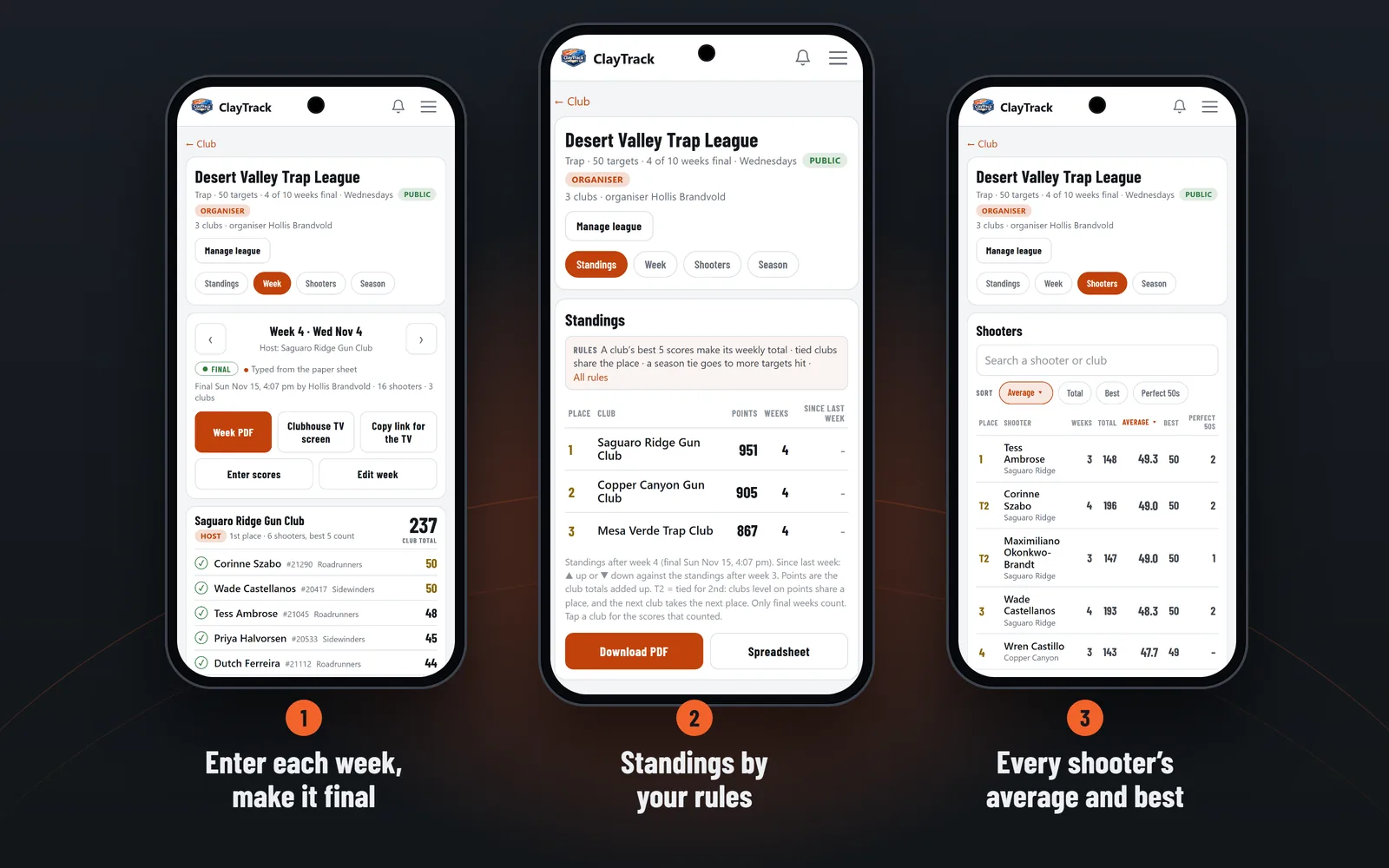
A season of clubs, scored week by week. Enter each week's scores, and the standings, every shooter's average and the clubhouse TV screen follow. Free.
How a League Runs
- Start a leagueA club owner or admin taps Start a league, under Leagues on the club's page. Name it, pick the discipline, set the season and the rules, and invite the clubs.
- Clubs acceptEach club's owner or admin accepts the invite on their club's page.
- Enter each weekType the scores from the clubs' sheets, or copy them from a club shoot. Make the week final when it's checked.
- Everyone follows alongThe standings, the week's results and each shooter's average update on phones, the clubhouse TV screen and paper.
Your Rules, as Settings
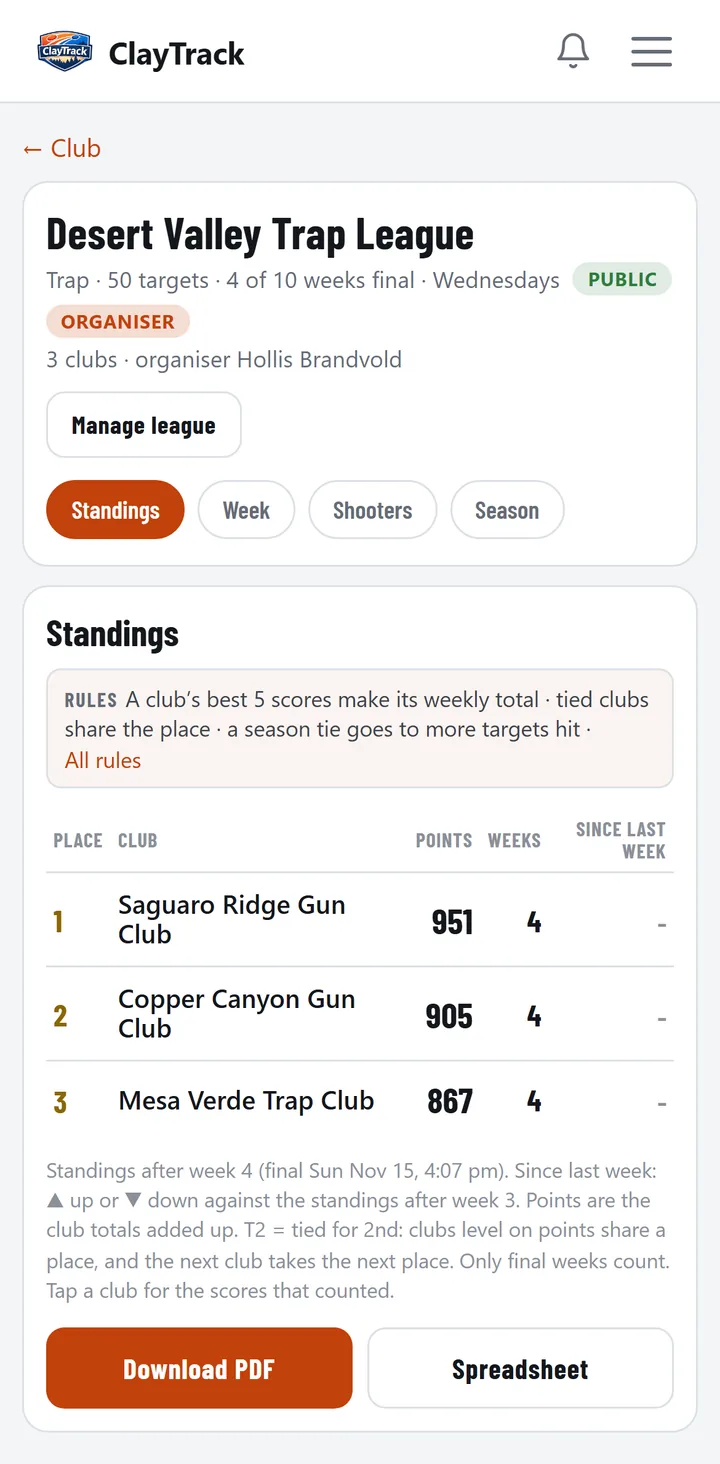
How many scores count for each club each week (the best 5, unless you change it), points by total or by place, how ties are broken, who enters scores (the organizer, or each club for its own shooters), and where each week is shot.
The rules are written out above the standings, so every club reads the same thing.
Not Final Yet, Then Final
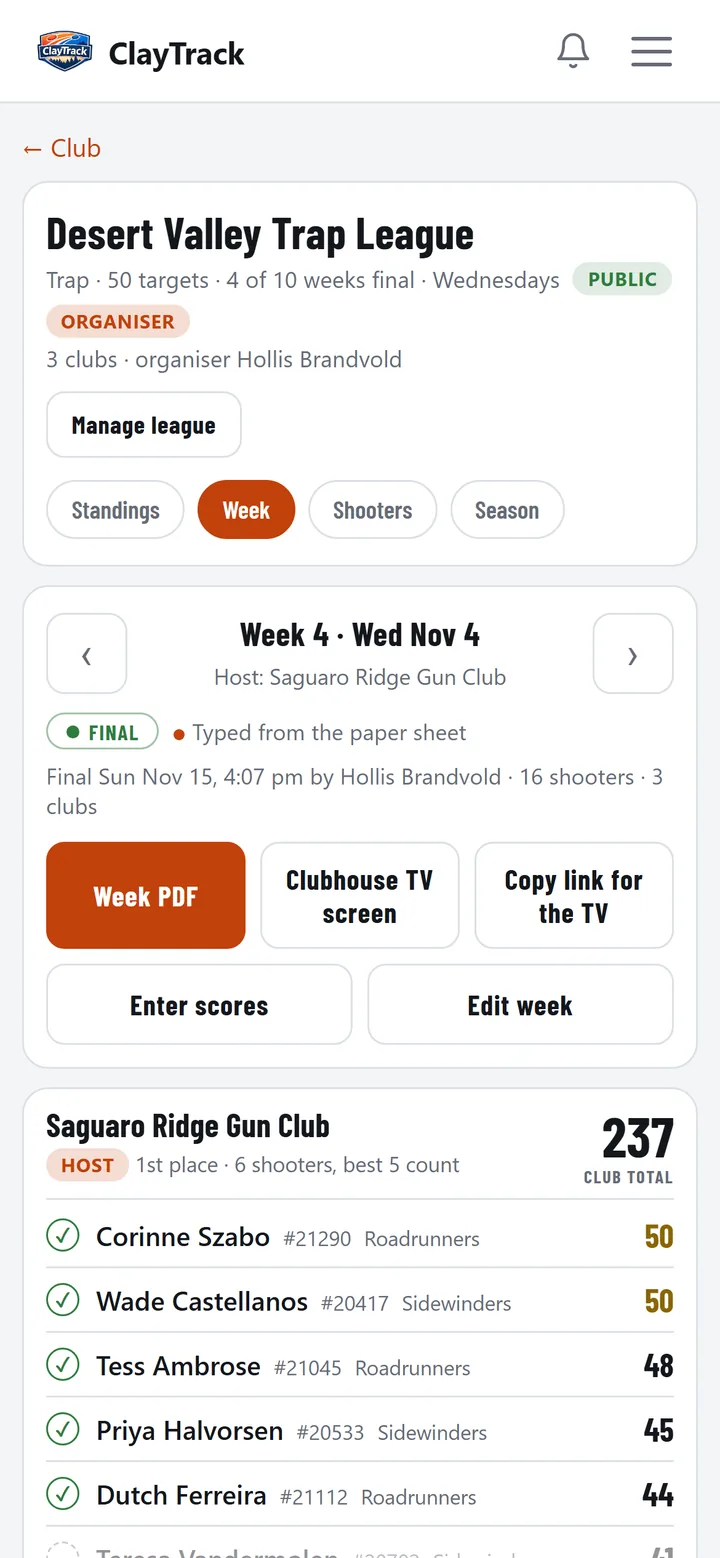
A week's scores show as they're entered, and they count once the organizer makes the week final. A final week can still be corrected, and every change is in the league's log.
Standings, the Week, Shooters and the Season
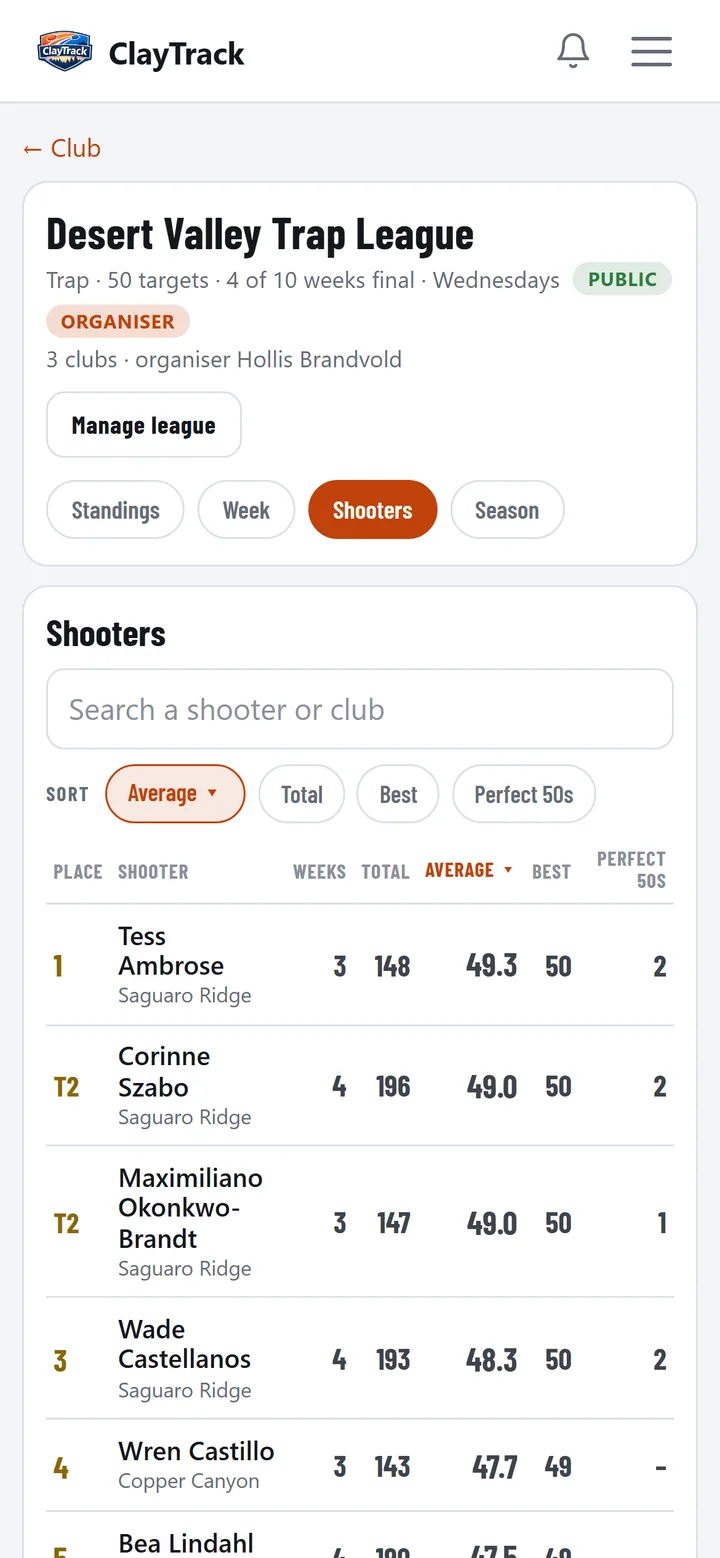
Club standings with points and movement since last week, each club's counting scores, every shooter's average and best, and the whole season on one grid.
Shooters see their own season too: a league line on their profile, and the week on their Home feed.
The Clubhouse TV Screen
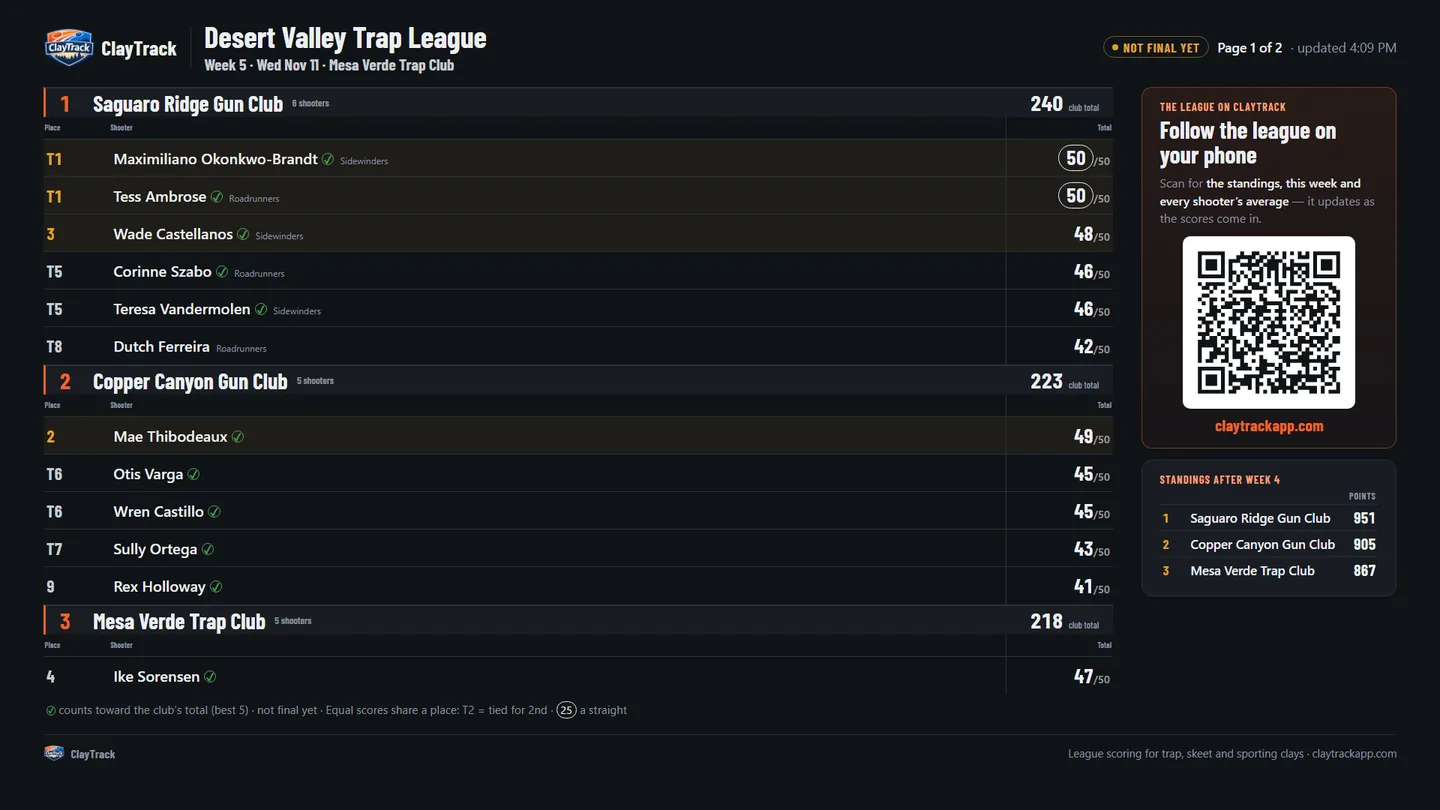
Put the league on the TV: the week's results by club, the standings beside them, and a QR code that opens the league on a phone. Open the link on any TV or laptop, with no sign-in.
Print It
Week and season PDFs, and a spreadsheet of every score, for the clubs that still run on paper.
One Club, or Many
A club can run its own season as a one-club league. Already running an outside league's weekly shoot, such as a state trap league? That's a league night on a club night, with your league's week sheet.
Club Night, Club Shoot or League?
| Club night | Club shoot | League | |
|---|---|---|---|
| Sign-ups | None. People walk up and give their name at the trap | Shooters sign up in the app, or the host adds them | Clubs join. Shooters shoot for their club |
| Who scores | A tablet at each trap. No account needed | Scorekeepers on their phones, each with a free account | The organizer or each club types in the scores |
| Signal | Wifi only to join | Wifi or data on the line | Not needed |
Compare club nights, shoots and leagues in full, or read how club nights work.

Start your league on ClayTrack
Create a free account, open your club's page and tap Start a league. Invite the clubs, and the standings follow.
Already on ClayTrack? Sign in.
Frequently asked questions
Do all our shooters need the app?
No. The organizer, or each club, types the scores in.
Which disciplines can a league use?
One per league: Trap, Skeet, Sporting Clays or 5-Stand.
Can a club leave mid-season?
Yes, with Drop club from league. Its results so far stay.
Can we still use paper?
Yes. Print the week and season PDFs.
Is it free?
Yes, for now.